
Mark it.Fit it.Share it.
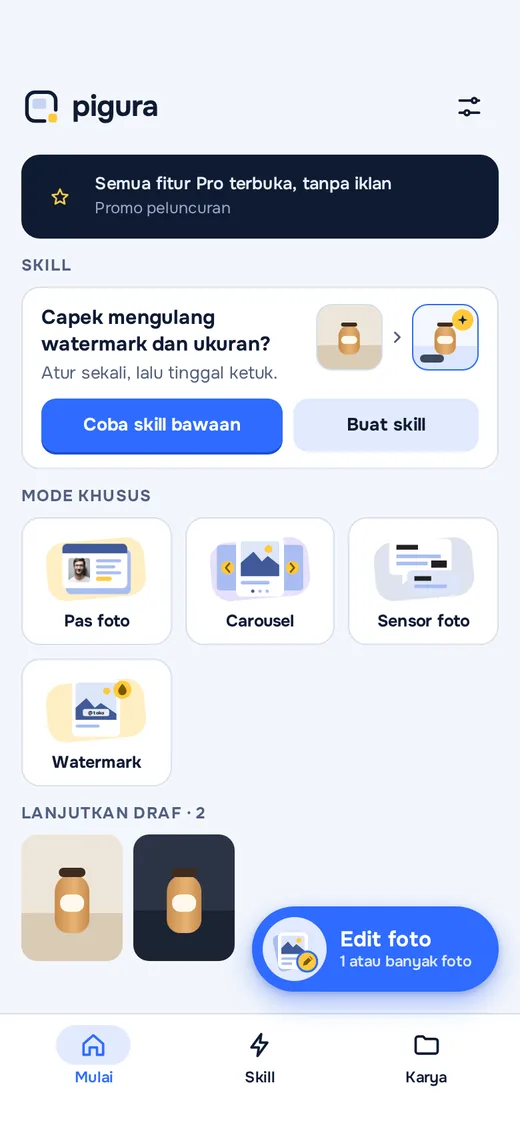
Watermarks, every platform size, ID photos, documents, data censoring and carousels, all in one app. Set it up once as a Skill, then repeat it in one tap.
- Watermark
- Platform sizes
- ID photo
- Documents and KTP
- Censor
- Carousel
- Skills
- Photos edited on your device
- Free to download
- Coming soon on Android, in English and Indonesian
- Instagram Post
- Instagram Story
- TikTok
- Shopee
- Tokopedia
- WhatsApp Status
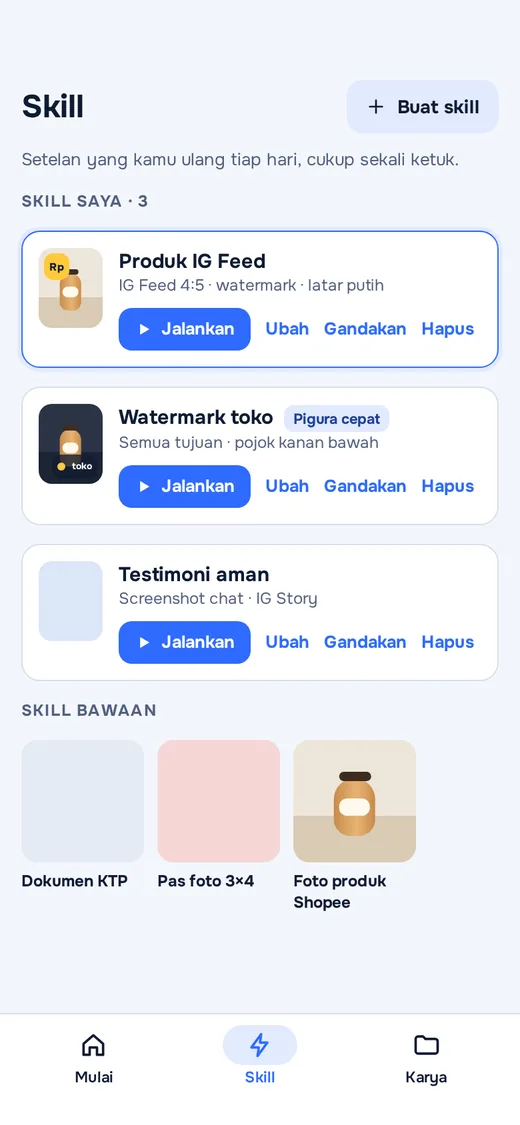
Skills: set it once, repeat it in one tap
A Skill is your edit, saved as a recipe: platform size, background, watermark, censoring and export. Next time, pick your photos and run it. A Skill can ask for what changes, like a price, and fill in today’s date by itself.
Usually: set up 6 things on every single photo
With a Skill: pick photos, tap once, done
From photo to post in three steps
Mark it
Add a text, logo, signature or date watermark. It always stays inside the photo.
Fit it
Pick a platform. Pigura frames the whole photo to its size, with no crop.
Share it
Save to your gallery or share right away. You can send to several platforms at once.
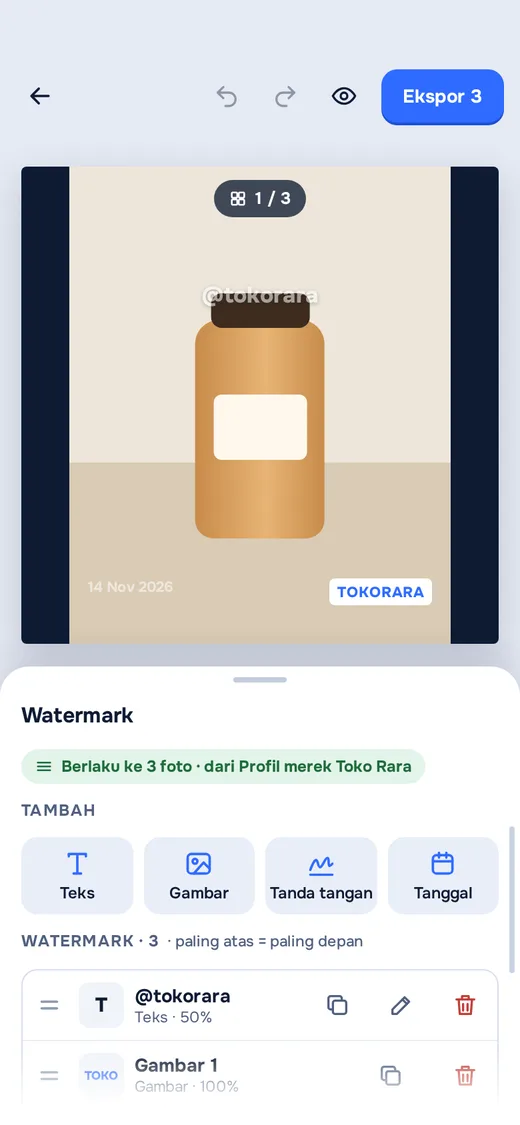
Your mark, placed right
Text, image, signature and date. Watermarks stay inside the photo and clear of the platform buttons. Set them once for one photo or many.
- Stack several watermarks, the top one sits in front
- Applies to every photo you picked
- Brand profile: logo, handle and QR ready to use
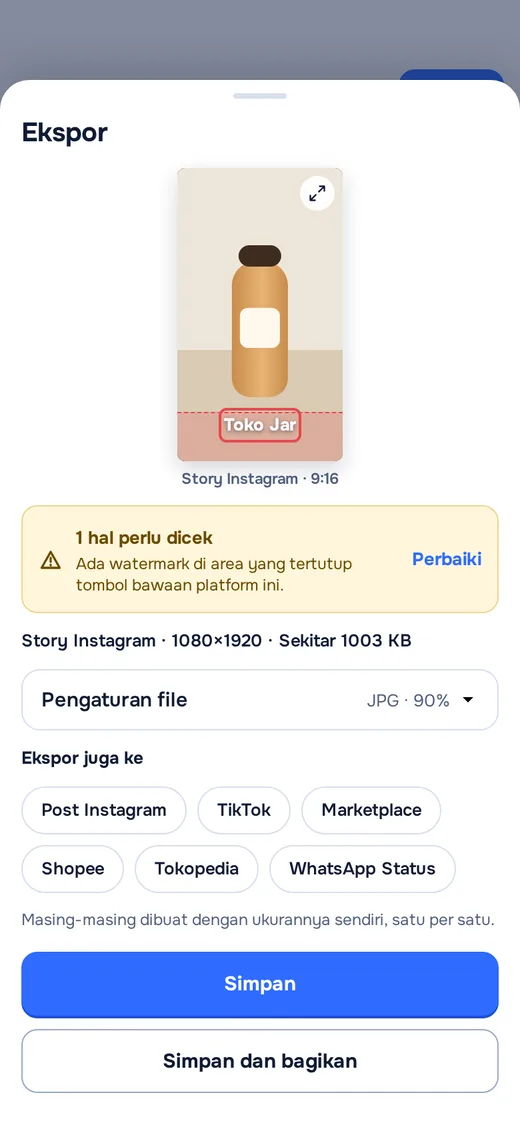
One photo, every platform size
Pick Instagram Post, Story, TikTok, Shopee, Tokopedia or WhatsApp Status. Your whole photo stays, with a frame added to match the size. Nothing is cropped.
- Pigura warns you if a watermark lands under a platform button
- Export to several platforms at once, each at its own size
- Choose the file format and quality
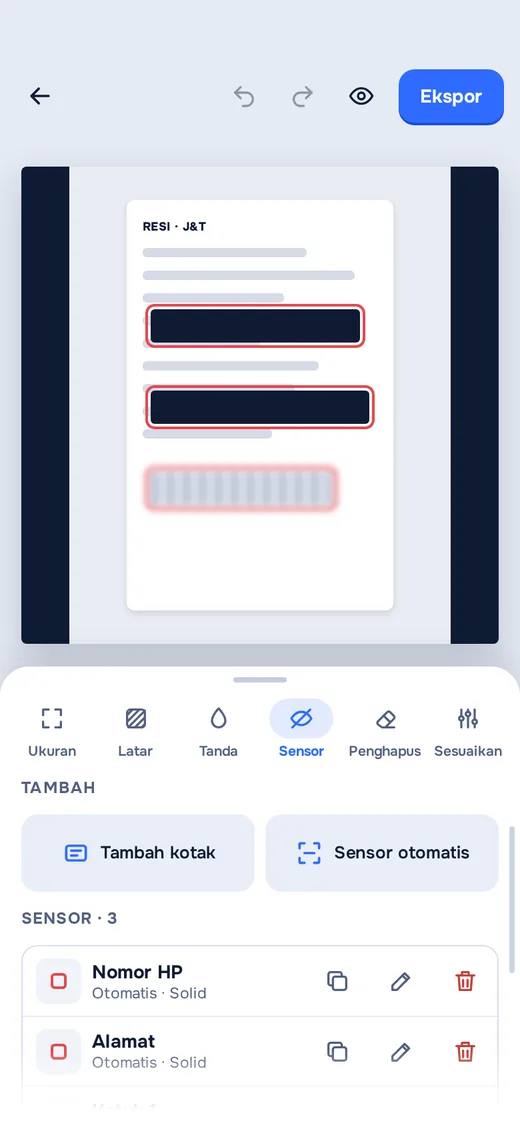
Cover what nobody needs to see
For chat screenshots, receipts and documents. Pigura suggests the sensitive parts, like phone numbers and addresses, and you decide. Always check the result.
- Cover with a solid box or a blur
- Add your own boxes any time
- Processed on your device
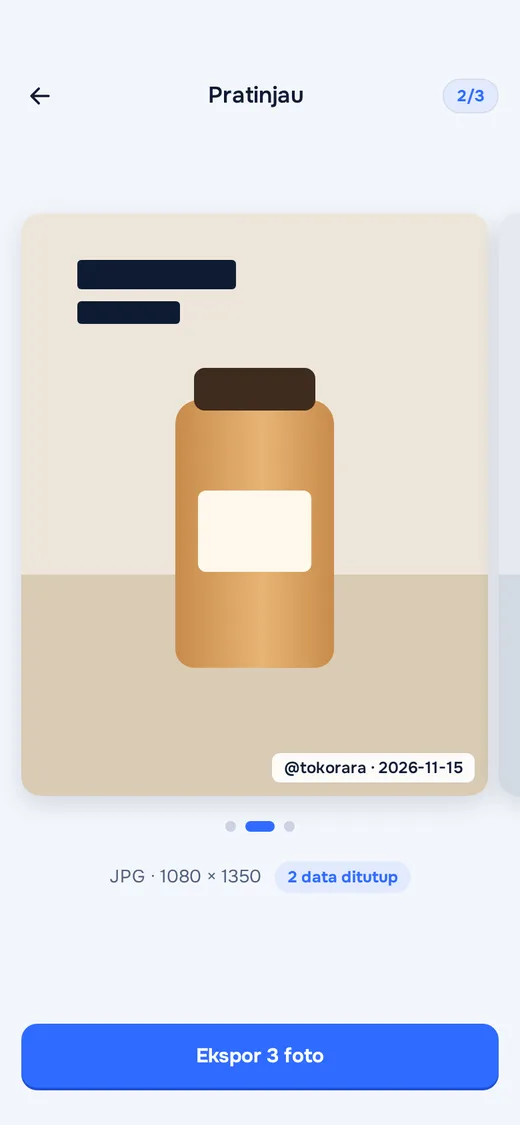
Many photos, one go
Pick several photos, check each result in the preview, then export them all. Pigura keeps working in the background while you use your phone.
- Swipe to check each photo
- Carousel: turn one wide photo into slides
- Results are saved to your gallery in Pictures/Pigura
More than watermarks
ID photo 3×4
Pick a red, blue or white background and fit the photo to size.
Documents and KTP
Mark who the copy is for and cover what the recipient does not need.
Carousel
Turn one wide photo into slides you can swipe through.
Your photos stay on your phone
Pigura edits photos on your device. They are not uploaded to be edited, and document photos are processed on your device too. Pigura is supported by ads; the Privacy Policy explains what the app uses.
Read the Privacy Policy- Photos are edited on your device, not on a server
- Document photos are processed on your device
- Results are saved to your own gallery
Free to start. Go Pro to support us.
Pigura is made by a small team in Indonesia. With Pro, you help us keep adding features.
- No ads on any Pigura screen
- Use it on many devices: sign in with the same account and Pro comes along
Launch promo: every Pro feature is open, with no ads.
Good to know
Is Pigura free?
Yes, it is free to download and use. Pro is optional: it removes ads and works on all your devices.
Does Pigura upload my photos?
No. Pigura edits photos on your device and does not upload them to edit them. The Privacy Policy explains the rest, including ads.
Will it crop my photo?
No. Fit keeps the whole photo and adds a frame to match the size you pick.
Which platform sizes are there?
Instagram Post and Story, TikTok, Shopee, Tokopedia, Marketplace and WhatsApp Status. You can also set a custom ratio.
Is there an iPhone version?
Not yet. Pigura starts on Android. An iPhone version comes later.
Coming soon to your phone
We are getting Pigura ready for Google Play. Check back soon.
In progressGoogle Play, coming soon.